 Deutsch
  España
  Francais
  Polish
  Russian
  Čeština
  Greek
Greek  Lithuania
  Romanian
  Arabic
  Português
  Indonesian
  Croatian
  Serbia
  Farsi
Farsi  Hebrew
  Mongolian
  Bulgarian
  Georgia
  Azerbaijani
  Thai
Thai  Turkish
  Magyar
 How do I set up teachers who will receive notifications about inappropriate content?


Select "Settings and testing" and choose the teachers.
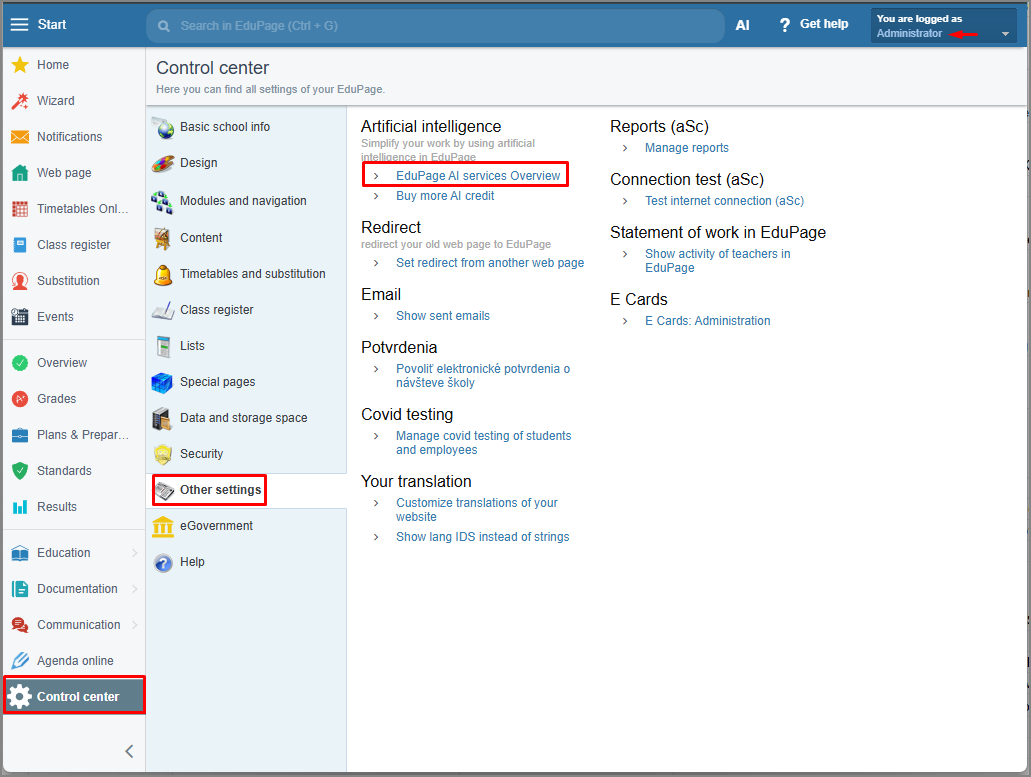
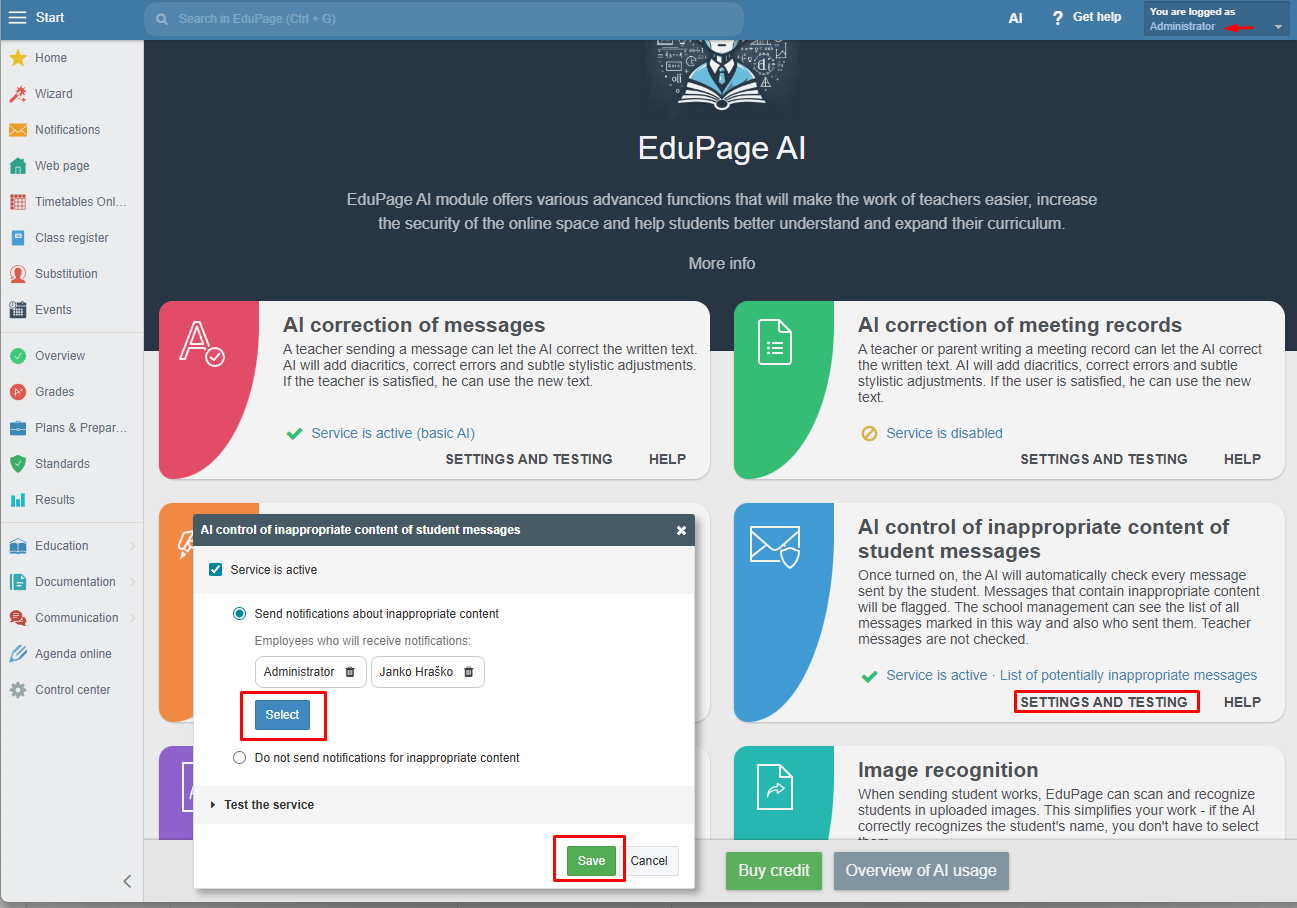
By default, inappropriate content notifications are sent to the school administrator. Since the administrator account does not have a mobile app login, they do not receive instant notifications. It is therefore advisable to add one or more employees who use the mobile app. Most messages likely will not require immediate action or any action at all—for example, when children occasionally use inappropriate language. However, at the very least, you will have greater peace of mind knowing that nothing is happening at school via EduPage that would require immediate assistance for a student.
See also:
Monitoring of potentially inappropriate message content and AI-based screening of attached images
More guides:
EduPage AI