 Deutsch
  España
  Francais
  Polish
  Russian
  Čeština
  Greek
Greek  Lithuania
  Romanian
  Arabic
  Português
  Indonesian
  Croatian
  Serbia
  Farsi
Farsi  Hebrew
  Mongolian
  Bulgarian
  Georgia
  Azerbaijani
  Thai
Thai  Turkish
  Magyar
 Monitoring of potentially inappropriate message content and AI-based screening of attached images


You can enable the content review feature for messages sent by students. EduPage AI can then alert you to potential issues that may need to be addressed with a student or within the class.
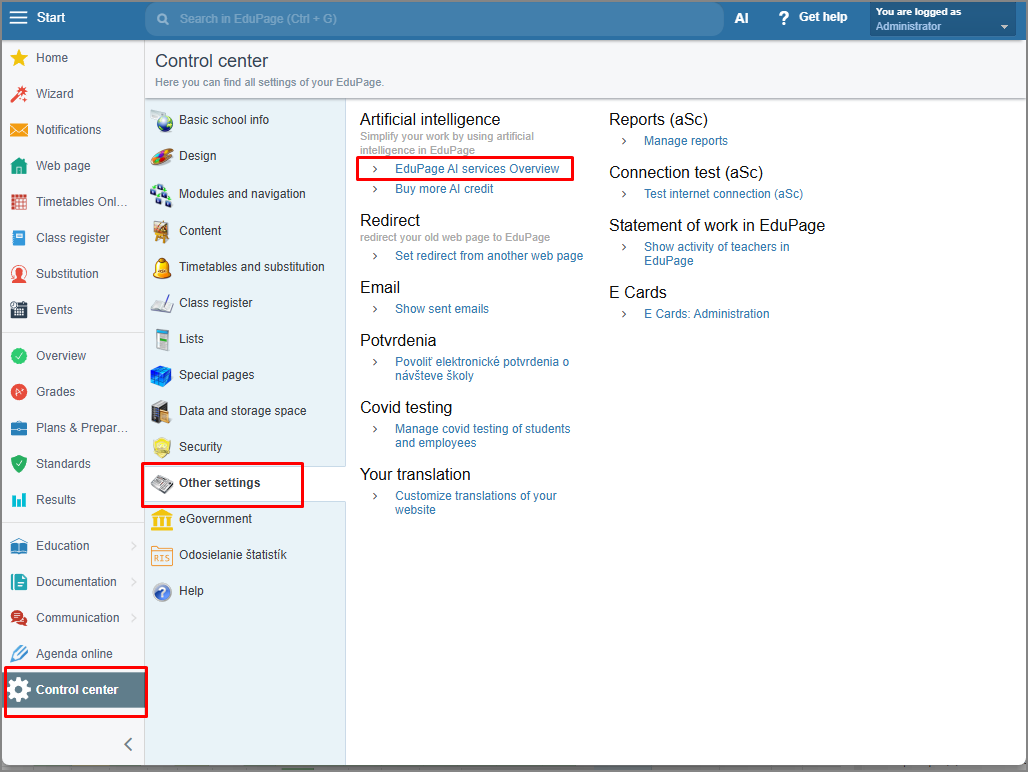
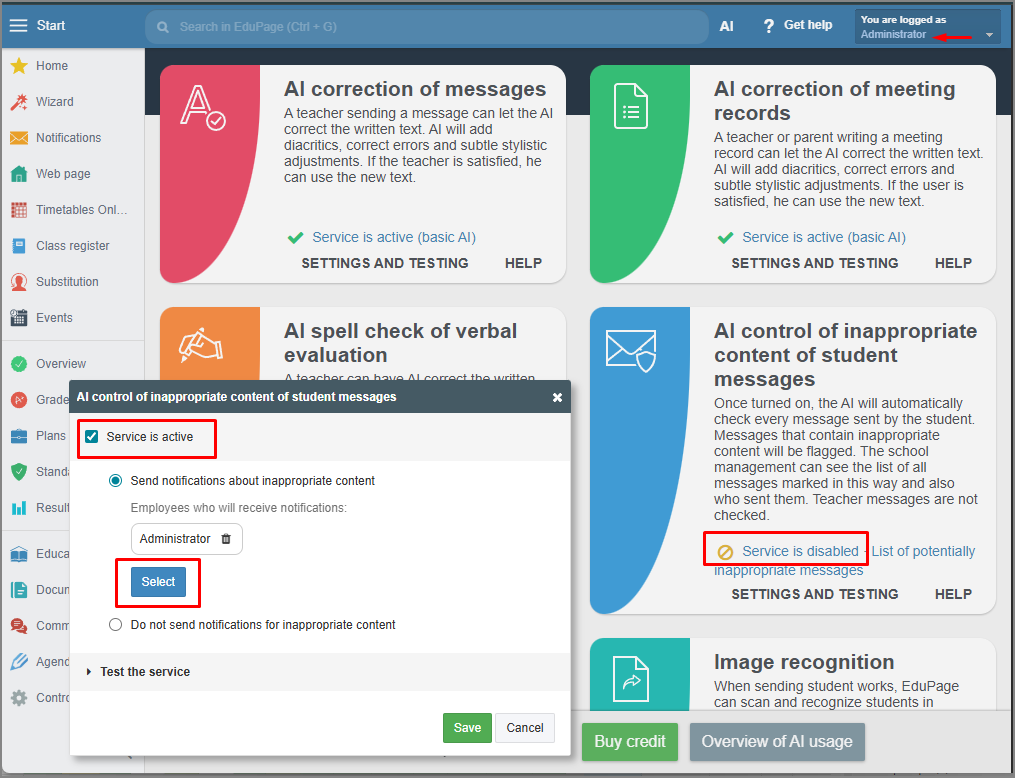
Once enabled, EduPage AI scans all student messages in the background. If it determines that a message contains inappropriate content or an unsuitable image, it places the message in a list of potentially inappropriate messages. Recipients will see a warning that the message is potentially inappropriate, but they will still be able to view it.</span>
EduPage will also send a notification about potentially inappropriate content to another designated teacher or staff member.
In the 'EduPage AI/Messages flagged as potentially inappropriate' section, you can view a list of all such messages. If a message is indeed inappropriate, you can delete it and, if necessary, block the student immediately.
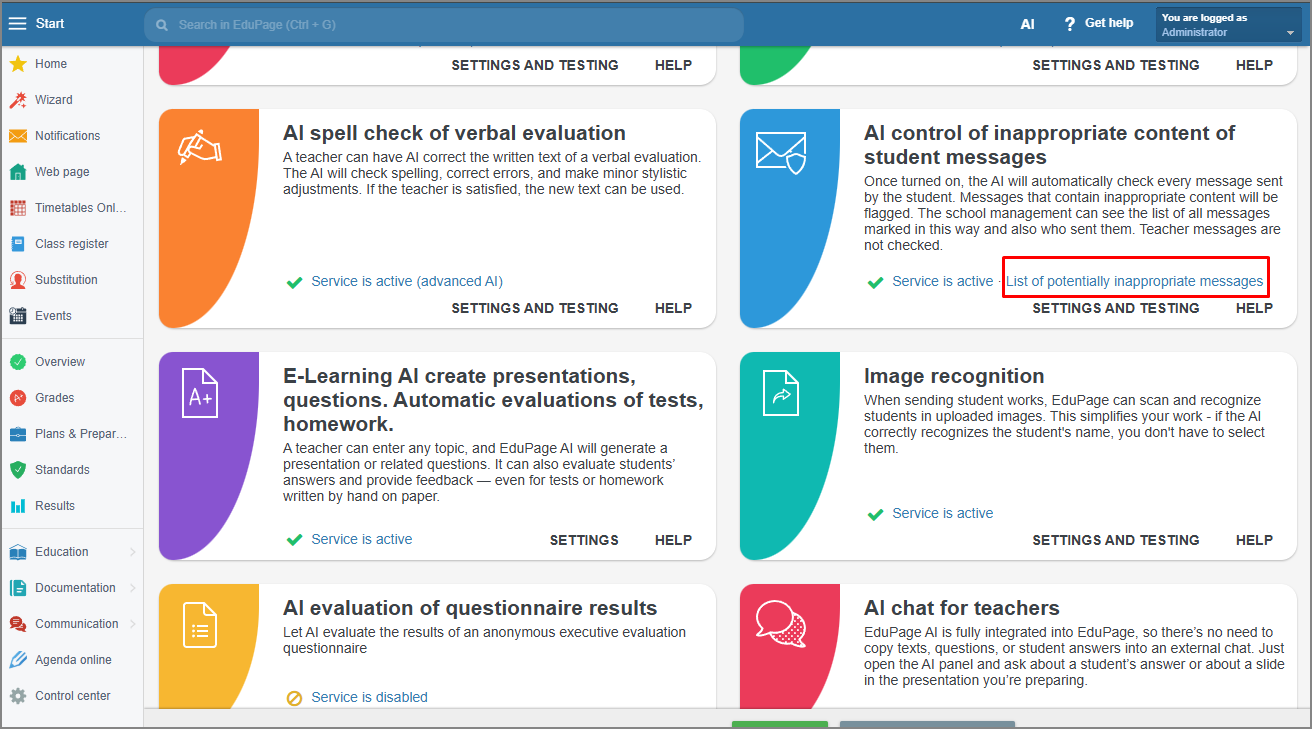
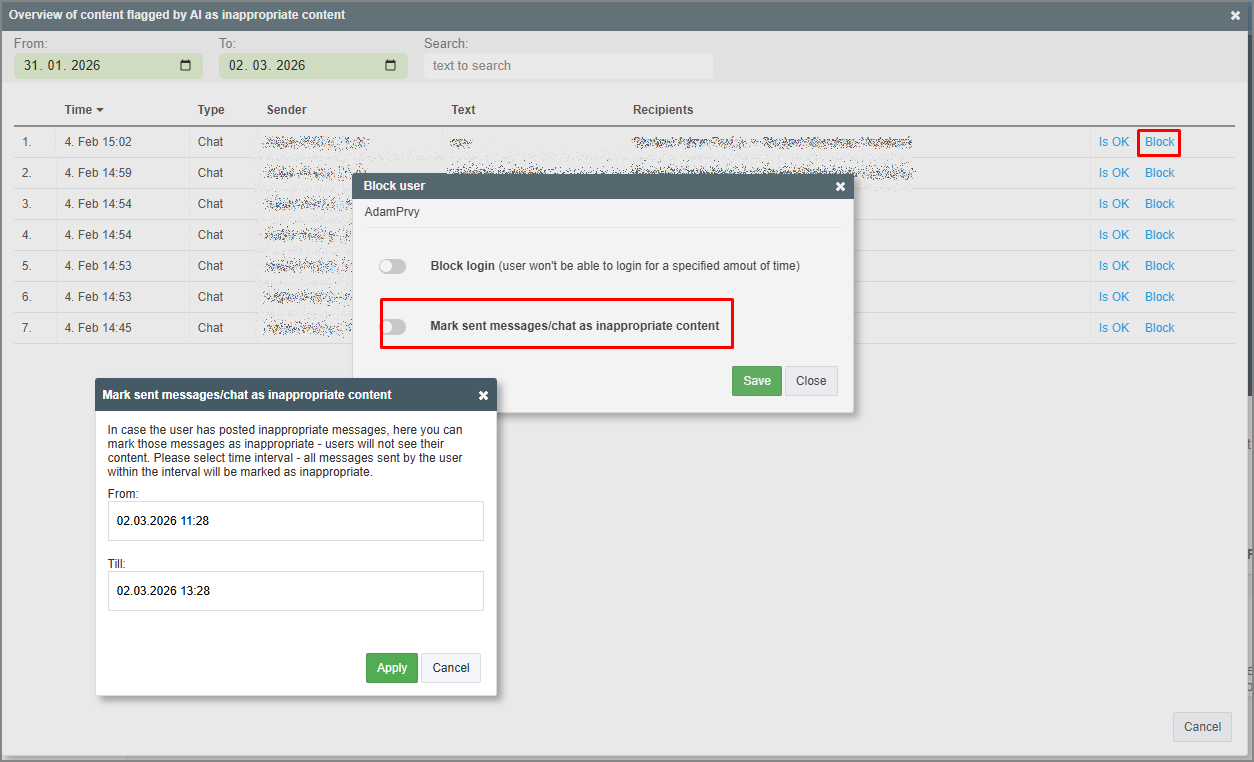
Messages are reviewed continuously and in multiple stages. If a message is flagged as suspicious, it undergoes further verification. However, it cannot be guaranteed that AI will catch every potential issue. At times, the AI may flag content that is not actually problematic—for example, if students are collaborating on a project and one asks for 'sharper photos' which the AI might misinterpret as inappropriate content.
While problematic messages may never occur at your school, you now have the tools to stay informed if a potential issue arises.
Importantly, this feature ensures a safer environment for all students by screening the content they receive in advance.
See also:
How do I set up teachers who will receive notifications about inappropriate content?
More guides:
EduPage AI