 Deutsch
  España
  Francais
  Polish
  Russian
  Čeština
  Greek
Greek  Romanian
  Arabic
  Português
  Indonesian
  Croatian
  Serbia
  Farsi
Farsi  Hebrew
  Mongolian
  Bulgarian
  Georgia
  Azerbaijani
  Thai
Thai  Turkish
  Magyar
 Why there are asterisks in total number of lessons for class?
asterisk


If you can see asterisks in the total number of lessons for one or more classes:
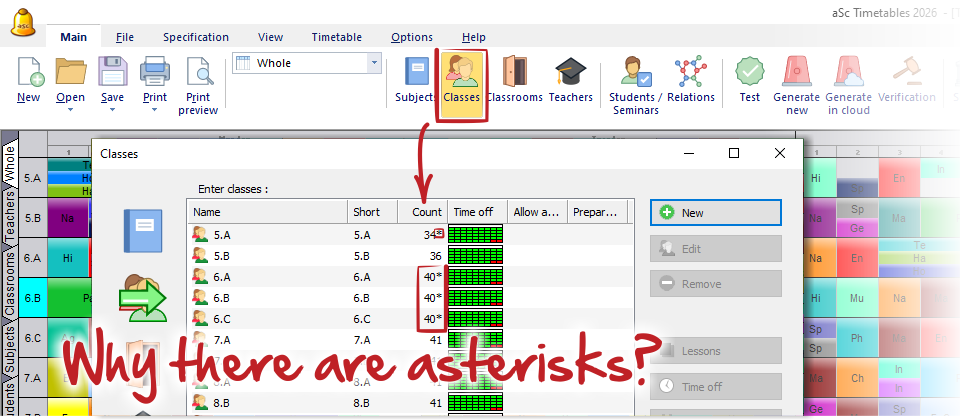
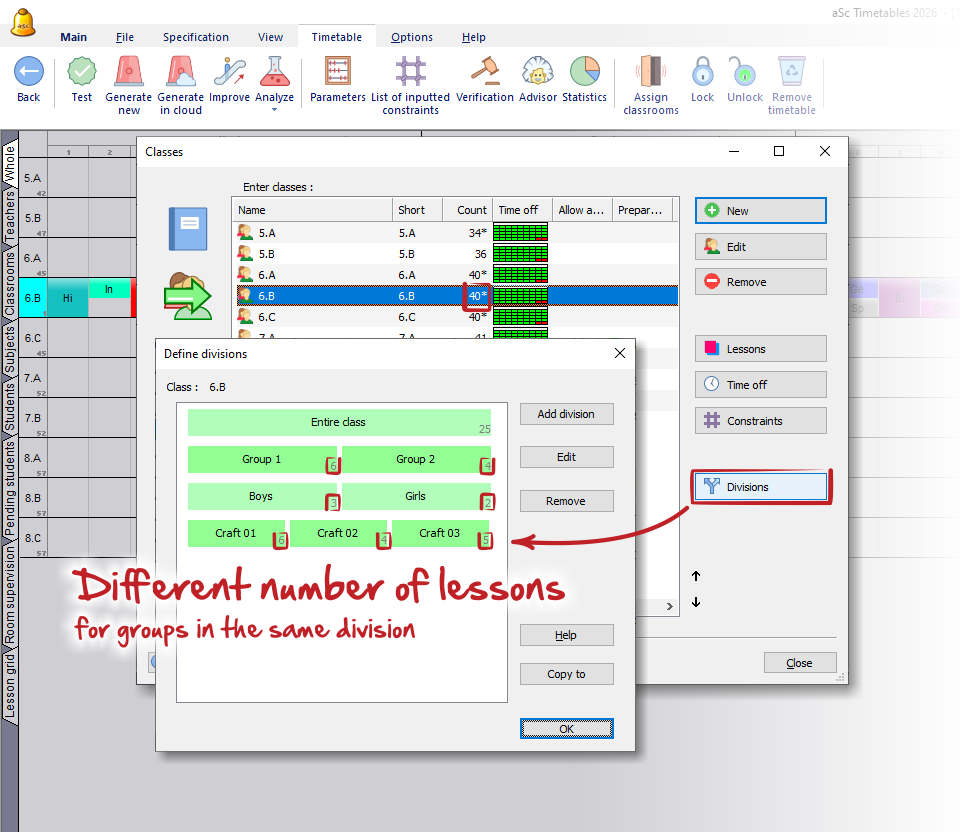
it means, that there are different number of lessons for one or more groups in the same division or individual students in that class. You can check the number of lessons for each group in the Division dialog
or you can see this as a yellow note in the Advisor.
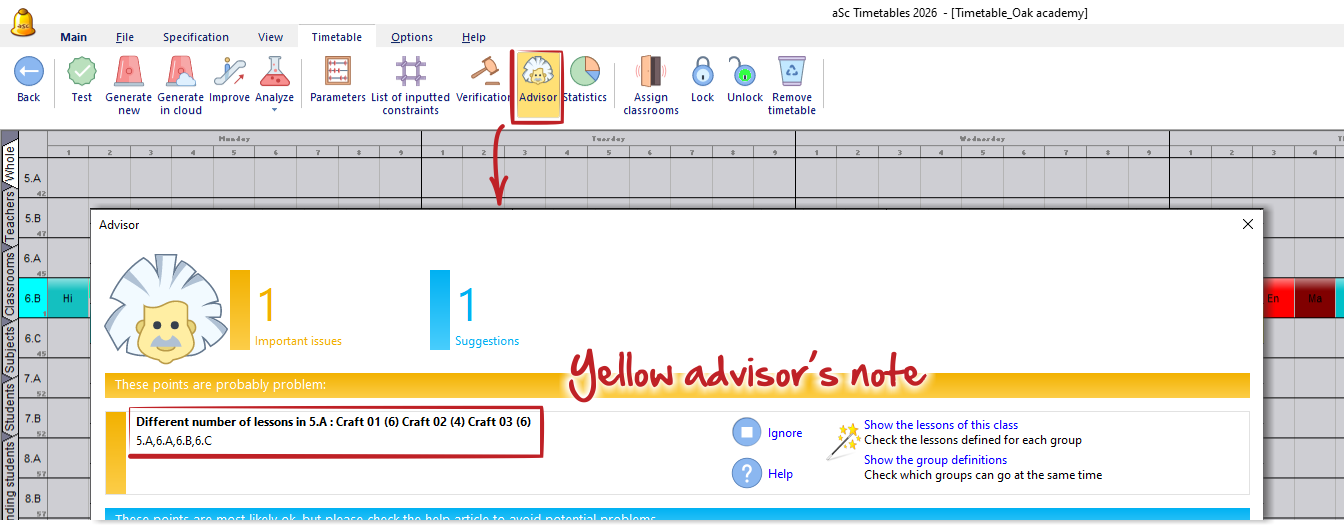
Why this note is important?
It can be total valid situation and you can ignore it, but more often it is a mistake in your inputs. Keep in mind, that automatic educational block (set as default for every class) doesn't allow gaps in classes timetables and program can place on the same periods only lessons for groups from the same divisions.
So if groups in the same division have not equal number of lessons per week, it automatically creates gaps in classes schedule if divided lessons are placed in the middle of the day.
See: Education block - How to allow gaps in class timetables
If this is valid situation, keep in mind also, that such divided lessons can be placed only before or after the main education if you don't allow gaps in classes schedules.
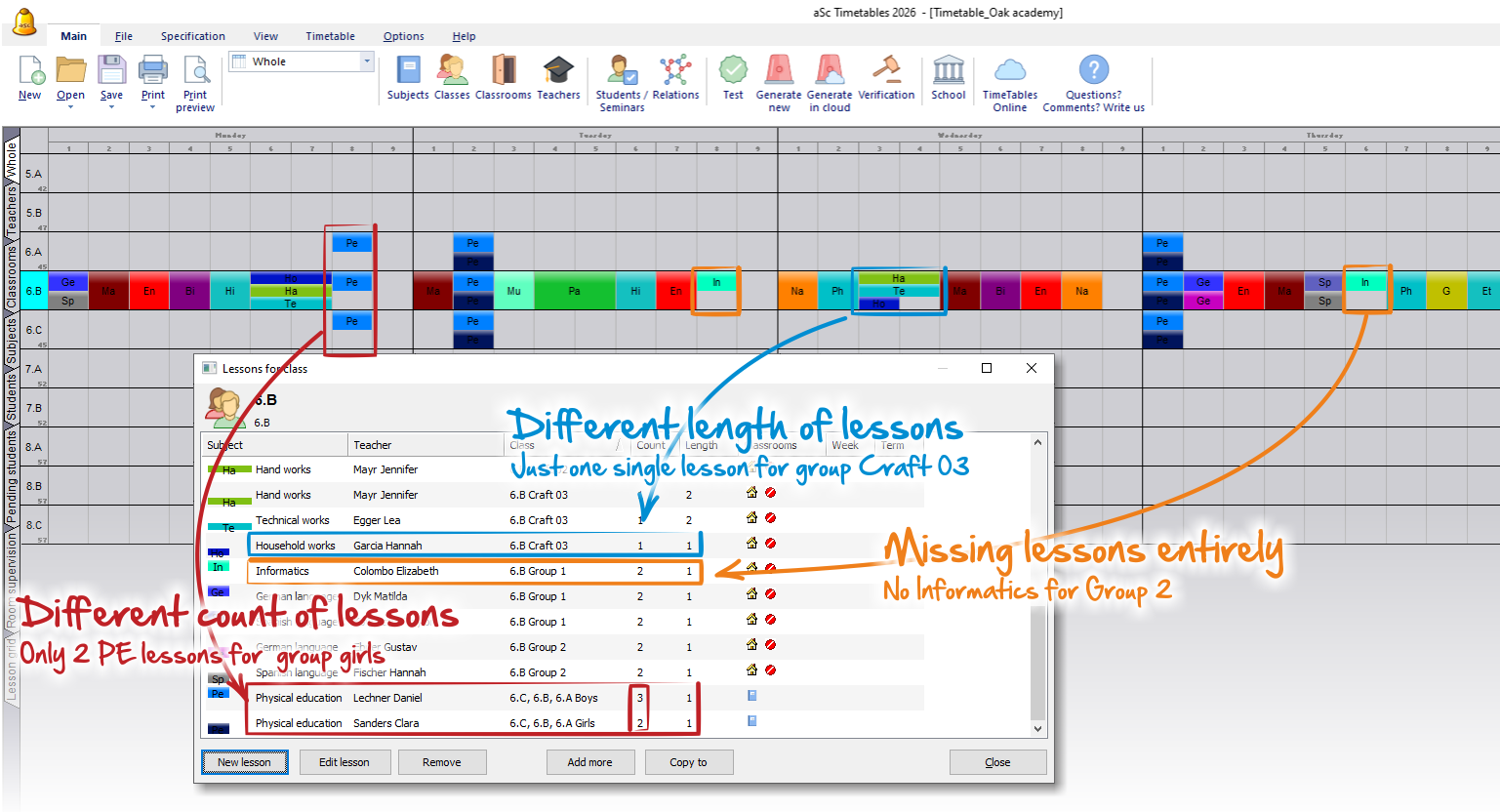
Please see:
Advisor - Different number of lessons for groups
Typical situation: Two teachers are teaching two subjects in one class at the same time
Education block - Checking of gaps in class timetables