 Deutsch
  España
  Francais
  Polish
  Russian
  Greek
Greek  Romanian
  Arabic
  Português
  Indonesian
  Croatian
  Serbia
  Farsi
Farsi  Hebrew
  Mongolian
  Bulgarian
  Georgia
  Azerbaijani
  Thai
Thai  Turkish
  Magyar
 Logging into EduPage via QR code – fast and securely


If you are logged into the mobile app and need to log in via the web interface but don't remember your password, you can use the QR code login method.
This method is especially ideal when you don't remember your password or when logging in on a foreign or shared computer.
Main advantages of logging in via QR code:
- You do not log in by entering a password,
- Logging in is fast and convenient,
- It is more secure – you do not enter your password into the given device.
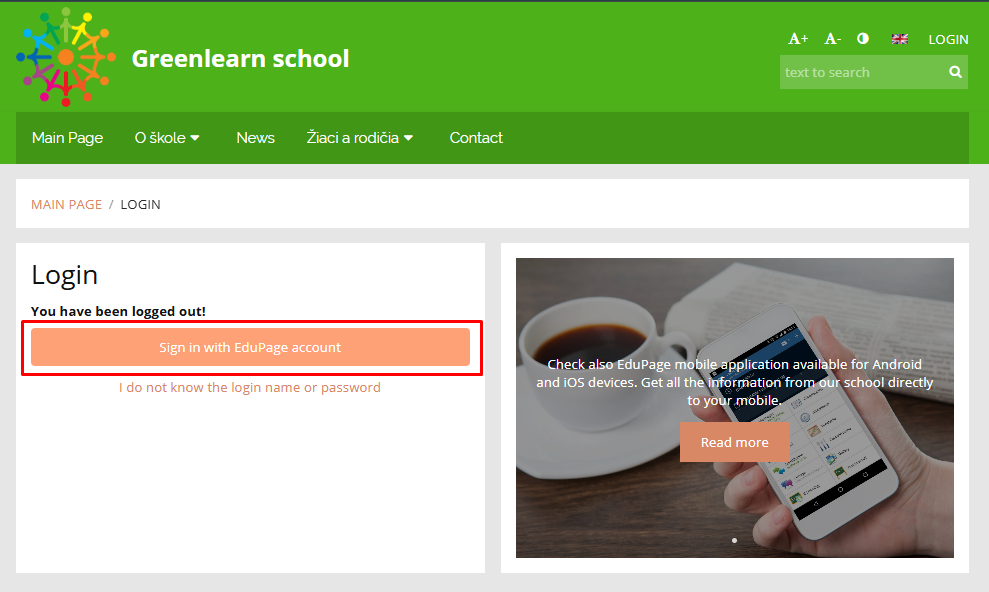
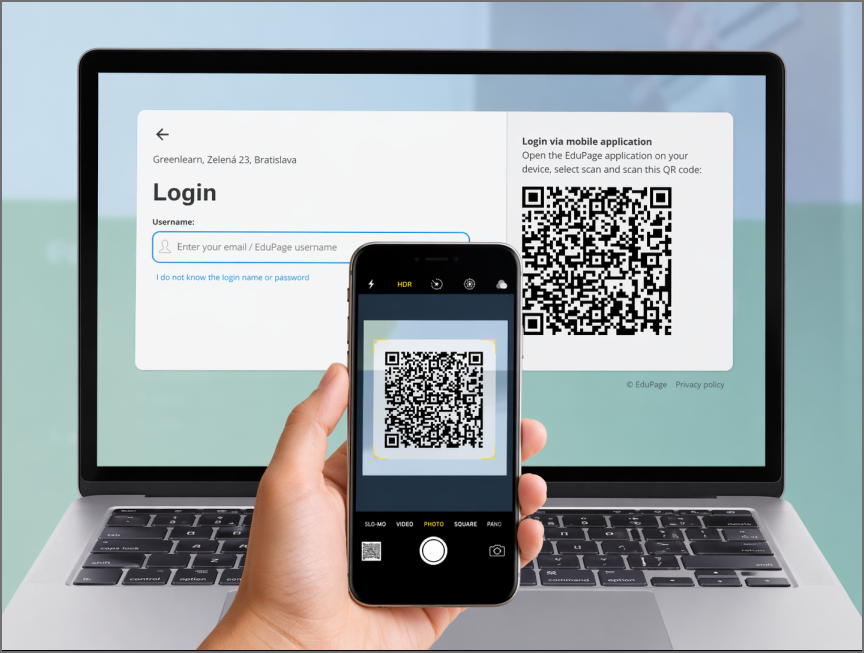
The system will then generate a QR code. You can scan it with your mobile phone – directly using the camera.
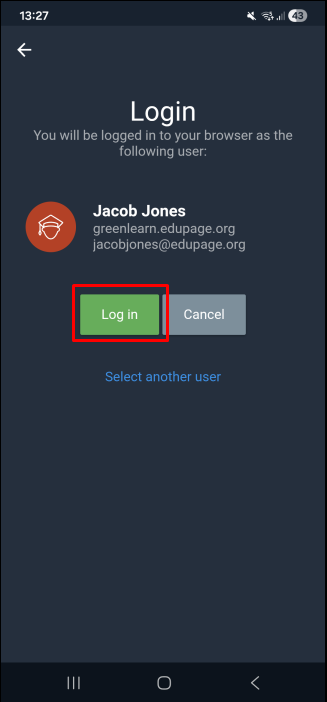
After scanning the QR code, confirm by selecting the "Log in" option.
After a successful login, you can select the option "Remember login" for future use. Remembering login details when logging in to EduPage
Tip:
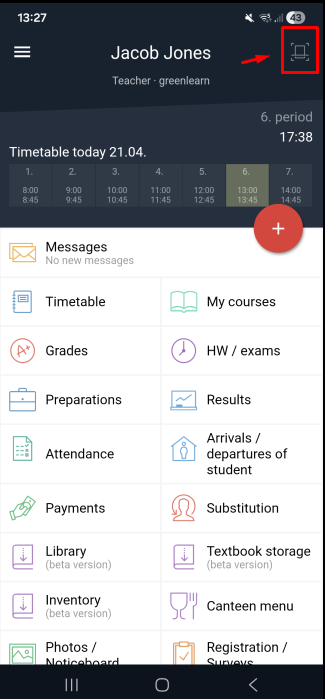
If you are unable to scan the QR code using your camera, you can scan it directly within the EduPage mobile app.
To enable QR code login, the EduPage app on your phone must have permission to access the camera.
More guides:
I forgot the password to my EduPage account, the password doesn't work
Protect your EduPage account even better with two-factor authentication.